DIRECT THE NEXT FRAME
Kling 4.0 features for a story that holds together
Kling 4.0 features make the most sense when you start with a sequence, not an isolated spectacular frame. This guide connects character references, keyframes, camera direction and creative revision to the decisions a director makes before production. Use it to plan a storyboard, identify which mode fits the shot and bring a focused brief into the Kling 4.0 AI video workspace.
Kling 4.0 at a glance
- 01
Kling 4.0 combines text, image and video reference inputs with shot planning. Give each reference a clear role: identity, movement or visual atmosphere, rather than asking one crowded image to define everything.
- 02
Full Kling 4.0 supports multiple keyframes and longer individual shots than Flash. Match controls to the selected mode instead of carrying one mode’s duration, resolution or frame assumptions into another.
- 03
Kling 4.0 is now formally available. Treat forthcoming HDR, API access and extended-video features separately from the creative tools available today; a release announcement does not make every roadmap item an active setting.
What Kling 4.0 changes for visual storytelling
For a filmmaker, Kling 4.0 is a way to explore how an idea behaves over time: where a character looks, when the camera moves and how one action leads into the next. A useful brief describes these relationships before it lists visual adjectives. Establish the subject and location, define the action, then decide what the audience should notice at the end.
This Kling 4.0 features page is a planning resource. In the Kling O1 workspace, review the controls, output choices and credit quote available for your task. Family specifications explain the creative possibilities; the settings shown for your selected mode define the practical choices before submission.
Five Kling 4.0 features to plan around
01
Kling 4.0 reference control
Kling 4.0 reference control begins with separating identity from action. A portrait can establish the character’s appearance, while a short motion reference can suggest pacing or a gesture. Choose references that agree about wardrobe, proportions and lighting. If two assets contradict one another, simplify the set before adding stronger wording to the prompt.
For Kling 4.0 continuity work, build a small reference pack for each recurring subject and reuse it across shots. Name the subject consistently and describe only the changes needed for the current beat. Check the face, costume, silhouette and interaction with nearby objects; an attractive frame is not enough if the character changes between cuts.
02
Kling 4.0 keyframe planning
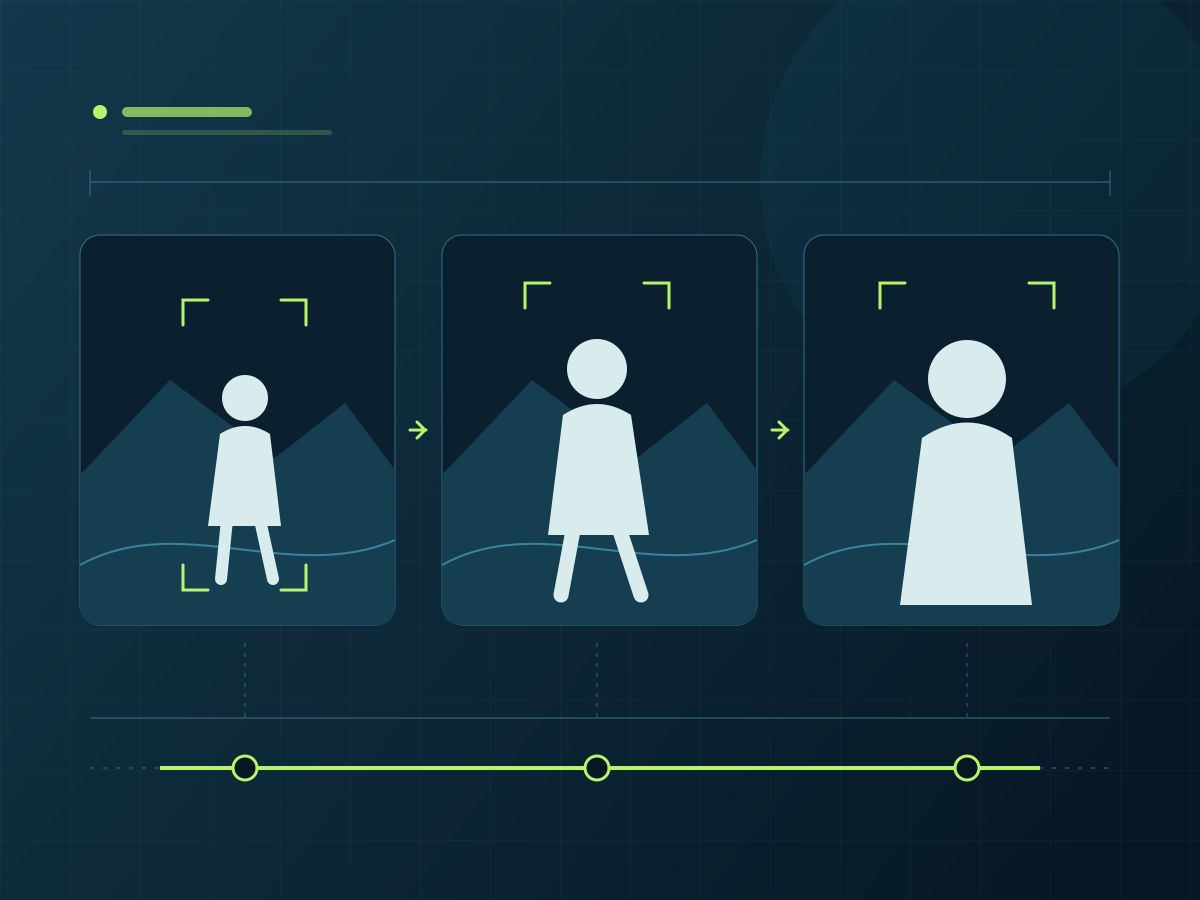
Full Kling 4.0 supports up to ten keyframe images, which makes a storyboard useful as a temporal plan. Start with the frames that define a meaningful change: an entrance, a turn, a reveal or the final composition. Extra keyframes should clarify the path between these moments rather than repeat nearly identical pictures.
Kling 4.0 keyframes work best with compatible composition and a believable connection between states. Check screen direction, camera height and the subject’s position before generating. A wide opening frame and a close final frame need an understandable camera move or action. Flash does not support start/end-frame or multi-keyframe controls, so plan that mode separately.
03
Kling 4.0 timing and camera direction
Kling 4.0 timing should follow the action’s structure. Write the opening state, the principal movement and the closing beat in order. Full-model single clips span three to thirty seconds; Flash spans three to twenty seconds. These are mode capabilities, not a reason to make every scene as long as possible.
For Kling 4.0 camera direction, choose one dominant move before combining movements. A restrained push-in, a lateral track or a stable over-the-shoulder composition gives you a clearer comparison between iterations. Describe the relationship between camera and subject, then review whether the result preserves readable action and useful space for the next edit.
04
Kling 4.0 creative iteration
Kling 4.0 creative iteration is more useful when each version answers one question. Test a change in viewpoint, expression, background treatment or timing while holding the rest of the brief steady. Record what you changed and what improved. This turns a series of attractive variations into a decision process you can repeat across the sequence.
Targeted editing and creative recreation are part of the Kling 4.0 feature family. Protect a strong composition while revising the part that weakens the story. Before a new attempt, identify what must remain consistent and what may change: subject placement, background, viewpoint or the timing of a reveal.
05
Kling 4.0 delivery choices
Kling 4.0 output planning includes more than resolution. Decide the delivery ratio, the role of sound, the space needed for titles and the room an editor needs around the action. The full model lists 720p, 1080p and 4K options; Flash is a 720p workflow. Frame your subject with the final viewing format in mind.
Kling 4.0 announced 10-bit HDR at 4K and 1080p as coming soon, alongside developer API access; do not plan a delivery around those options until they are available. The announced extension toward two-minute videos is also separate from ordinary single-clip duration. Web tools, MCP and CLI availability should not be mistaken for a live public API.
Kling 4.0 modes, without mixing their limits
| Planning question | Full Kling 4.0 / Kling 4.0 Flash |
|---|---|
| Duration and frame controls | Kling 4.0 full-model planning supports three-to-thirty-second clips, multiple keyframes and up to ten keyframe images. Flash supports three-to-twenty-second clips and has no start/end or multi-keyframe mode. Choose the control that fits the shot; a faster drafting label does not imply identical input controls. |
| Combined reference budget | Kling 4.0 full-model references share a combined ceiling of fifteen assets. Published category limits include up to ten images, five videos with thirty seconds in total and seven subjects, with up to three video-based subjects. These limits overlap within the shared ceiling; they are not separate allowances you should add together. |
| Output and sound | Kling 4.0 lists full-model output at 720p, 1080p and 4K with stereo sound, while Flash uses 720p, 8-bit SDR. Do not transfer the full model’s sound or reference specifications to Flash without checking its supported controls. Workspace settings and the pre-submit quote remain the practical guide for a creation task. |
| Release and upcoming tools | Kling 4.0 is fully available, with a refreshed web interface, MCP and CLI announced for current use. The 10-bit HDR options, developer API and video extension remain forthcoming. Separate release status from feature availability, and return to the mode selection whenever a project depends on one specific input or delivery option. |
Four places to use Kling 4.0 features
01
Narrative previsualization with Kling 4.0
Use Kling 4.0 for narrative previsualization when blocking matters more than a finished image. Map an entrance, reaction and reveal into separate shots, keeping screen direction consistent. Judge whether the audience can follow the action without explanation. A readable rough sequence often gives a director a more useful next decision than one highly polished disconnected clip.
02
Character continuity in Kling 4.0
For character-led scenes, Kling 4.0 reference planning helps you ask specific continuity questions. Does the jacket keep its shape during a turn? Does the same subject remain recognizable in a wider composition? Review the opening, midpoint and final frame together. Keep a short list of identity cues that must survive every shot.
03
Music-led sequences with Kling 4.0
Kling 4.0 can help explore music-led visual sequences through movement, lighting changes and recurring motifs. Plan the cut points and the emotional arc before generating. Treat audio and camera rhythm as separate review questions, and verify the sound controls actually offered by the selected mode rather than assuming every mode has identical audio behavior.
04
Concept-film direction with Kling 4.0
Use Kling 4.0 for concept-film exploration when the visual world is still being defined. Compare two deliberate interpretations of the same action, such as a distant observational camera and an intimate moving camera. Keep the story beat unchanged so the comparison reveals a directorial choice instead of comparing unrelated images and settings.
A four-step Kling 4.0 production workflow
Move from a Kling 4.0 storyboard to a reviewable shot by giving each stage one deliverable. A short scene brief, a clean reference pack, a controlled first version and an edit-focused review keep decisions visible. The point is to reduce ambiguity before spending more credits on variations, not to promise a particular number of attempts.
- 1
Define the scene
Write a Kling 4.0 scene brief with the subject, location, action and intended last beat. Mark what must stay consistent between adjacent shots. A clear end state helps you judge whether the clip serves the sequence, and gives the next shot a defined point from which to continue.
- 2
Prepare the reference pack
Prepare the Kling 4.0 references and keyframes for the mode you intend to use. Remove conflicting assets, assign each reference a purpose and check the shared input limit. For Flash, use a text or supported reference approach instead of planning frame controls that the mode does not offer.
- 3
Create a controlled first version
Create a controlled Kling 4.0 first version in the Kling O1 workspace. Confirm the visible duration, ratio, resolution and credit estimate before submitting. Change one important variable at a time on the next attempt, so a better result can be traced to an actual decision rather than a completely different brief.
- 4
Review the cut
Review the Kling 4.0 result as an editor would: identity, motion, camera direction, timing and the transition into the next shot. Keep the successful choices in your production notes. If a Kling O1 editing or motion workflow better fits the correction, continue there instead of rebuilding an otherwise useful sequence from scratch.
Kling 4.0 features FAQ
What are the main Kling 4.0 features for storytelling?
Kling 4.0 combines reference-led creation, keyframe planning, timing and creative revision. Start with the narrative job of the scene, then choose a mode and inputs that fit. Continuity and readable action matter alongside output resolution.
Can Kling 4.0 preserve the same character across shots?
Kling 4.0 references help describe recurring identity, but continuity still needs review. Reuse a consistent reference pack, avoid contradictory clothing or lighting, and compare opening, middle and closing frames. Keep the same identity checklist across adjacent shots.
Does Kling 4.0 Flash support multiple keyframes?
No. Full Kling 4.0 supports multiple keyframes; Flash has no start/end-frame or multi-keyframe controls. Build a Flash shot around text and supported references. Choose the mode before designing a storyboard that requires one particular frame control.
How should I count Kling 4.0 reference assets?
Full Kling 4.0 has a combined ceiling of fifteen reference assets, with category limits inside that total. Do not add image, video and subject maxima as independent allowances. Begin with a small purposeful set rather than filling every available input slot.
Is the Kling 4.0 API or HDR available now?
Kling 4.0 is fully available, including web, MCP and CLI. The latest release announcement still describes 10-bit HDR at 4K/1080p and developer API access as coming soon. Video extension remains a separate forthcoming feature, not a two-minute ordinary single clip.
Where should I check Kling 4.0 prices and settings?
Check the selected Kling 4.0 controls and pre-submit credit quote in the Kling O1 creation workspace. The pricing page explains plans. Match the shot’s duration, format and input needs to the choices shown for your task, then keep that configuration in your production notes so the next iteration remains comparable.
Keep your next decision close
Start with the Kling 4.0 workspace when your shot brief is ready. Use the Kling O3 comparison for a model choice, the creative controls page for another production approach, or the editing workspace when the next task is a focused revision. Keep the same storyboard and review criteria as you move between tools.